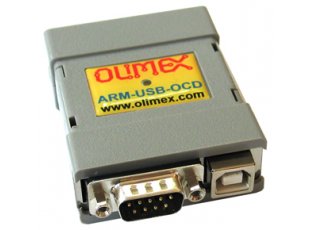
ARM-USB-OCD
This item is OBSOLETE
FEATURES
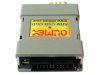
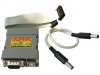
- First on market three-in-one USB JTAG debugger - offers JTAG + RS232 (full modem signals supported) port + power supply all in one compact device
- Adds virtual RS232 port to your computer with all modem signals like: DTR, DSR, DCD, RTS, CTS, Rx, Tx
- Debugs all ARM microcontrollers with JTAG interface supported by OpenOCD
- Can be used to power your target board with three jumper-selectable power supplies: 5V, 9V and 12VDC; USB source current is limited with resetable fuse at 300mA, at the different output voltages the maximum current is different: 5V/200mA, 9V/100mA, 12V/70mA, note that this also depends on your USB host current capabilities, if other USB devices are attached to your computer or if the laptop is running on batteries these figures may be different and would depend on your computer USB host. Cable for the external powering included - 2.1x5.5x14mm female connectors at both ends
- Uses ARM's standard JTAG connector (2 rows × 10 pins at 0.1'' step)
- Supports ARM targets working in voltage range 2.0 – 5.0 V DC
- Supported by the open-source community and OpenOCD debugger software
- Downloadable Windows installer for full featured and open source tools as alternative to the commercial ARM development packages: GCC C compiler, OpenOCD debugger and Eclipse IDE.
- Works with IAR EW for ARM via GDB server
- Works with Rowley Crossworks IDE
- Works with CooCox IDE
- Supported in Windows, Linux and Mac
- Dimensions 50x40mm ~ (2x1.6)" + 20cm ~ 8" JTAG cable - ribbon cable included
DOCUMENTS
HARDWARE
SOFTWARE
- OpenOCD for Windows
- Additional resources: tutorials, instructions, demo software, customer projects, older drivers and more might be found at the wiki page: ARM-USB-OCD article
FAQ
- Can I use ARM-USB-OCD with EW-ARM?
- IAR EW has support for GDB and works with ARM-USB-OCD.
- I am currently using operating system X. It has FTDI drivers, how should I alter them to work with my installation?
- FTDI provide drivers and instructions at their web site, download them and use our ARM-USB-OCD PID: 0x0003, VID: 0x15BA to install the drivers.
- I have LPC1227 board and can't program it with your OpenOCD debugger. What do I do wrong?
- LPC1227 lacks JTAG according to the microcontroller's datasheet. The board can be programmed only via SWD (Serial Wire Debug) interface. Olimex OpenOCD debuggers have JTAG by default. You would need an addiitonal adapter – ARM-JTAG-SWD.
- How to install ARM-USB-OCD to work with CrossWorks
-
Test with the FTDI drivers. The FTDI drivers can be downloaded from the following address:
https://www.olimex.com/Products/ARM/JTAG/_resources/OLIMEX-FTDI-drivers-2-12-04.zip
There is already profile for ARM-USB-OCD in CrossWorks but if you want to use it as "Generic FTD2232" target interface you have to do as follows:- Right click on a blank space in the targets window and select "New Target Interface > Generic FT2232 Device".
- Right click on the new target interface and select "Properties" - set the following properties:
Connected LED Inversion Mask 0x0000
Connected LED Mask = 0x0800
nSRST Inversion Mask = 0x0200
nSRST Mask = 0x0200
nTRST Inversion Mask = 0x0000
nTRST Mask = 0x0100
Output Pins = 0x0F1B
Output Value = 0x0D08
Running LED Inversion Mask = 0x0000
Running LED Mask = 0x0800
PID: 0x0003
VID: 0x15BAIn CrossWorks 1.7 there are Target interfaces for Olimex JTAGs, note that RTCK is not used with a FT2232 design so your JTAG clock should not exceed 1/6 of your target MCU clock or the JTAG will lock up. Start with JTAG divider 10 and decrease until you are able to debug to find your own value for your target.
- Can I debug high voltage targets with ARM-USB-OCD?
- ARM-USB-OCD is not isolated, but you can use a USB-ISO isolator device to protect your PC while debugging high voltage targets.
- Howdy, guys. I can't program my MSP430 and PIC16 boards with your robust debugger. I need help ASAP.
- Technically, it is possible to program targets different than ARM using our OpenOCD debugger. Practically, almost all users use the debugger for ARM programming and only ARM targets are officially supported. There is a reason that the prefix in the name of the debugger is 'ARM-'.
- I am the maintainer of a commercial IDE with custom debugger code. I want to include support for your OpenOCD tools in my software, however I can't find specific information. It is obviously a win-win situation for both parties. Is it possible to provide me with more specific technical information for your debuggers?
- Olimex can provide the necessary information and cooperate with interested parties if they want to add low-cost USB debugger support to their C compilers and IDEs.
Related Products - People who bought this product also bought
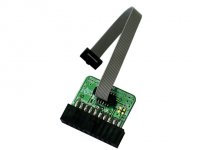
JTAG 20 pin 0.1 inch to 10 pin 0.05 inch adapter
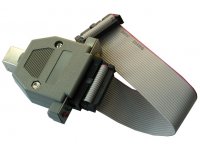
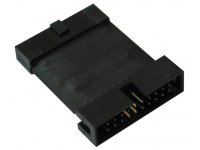
ARM JTAG SWD adapter for OpenOCD and CrossWorks

High-speed 3-IN-1 fast USB ARM JTAG, USB-to-RS232 virtual port and power supply 5VDC device (supported by OpenOCD arm debugger)
- ARM-USB-OCD-H
- ARM-USB-OCD-HL

Low-cost high-speed ARM USB JTAG (supported by the OpenOCD arm debugger)